Web Toolbar by Wibiya

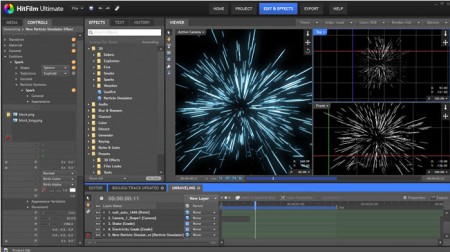
HitFilm Ultimate 2.0.1024.51947 (x64) + Crack

Download 1


HitFilm Ultimate 2.0.1024.51947 (x64) | 162.3 MB
HitFilm Ultimate is a professional video editing application that provides users with a wide range of features for applying quality visual effects to your media files.


True 3D compositing
Groundbreaking 2D and 3D compositing. Import 3D models. 3D camera solving with mocha HitFilm. Professional keying and color grading.

Unrivalled visual effects
Over 150 pro effects: World class 3D particle simulators. Procedurally generated visuals. Lights & flares. Nothing else comes close.

A revolution in video editing
All your essential editing tools. A revolutionary workflow. Everything you need at your fingertips, in a single product.

Compositing
Design stunning visuals with HitFilm 2 Ultimate's arsenal of compositing tools. Import 3D models, camera solve with mocha HitFilm, extract professional green screen keys and work in both 2D and 3D. This is Ultimate power.

Work with 3D models
Built-in support for using 3D models inside HitFilm, with lights, shadows, motion blur and depth of field. It's a revolutionary workflow.

Superior 2D & 3D compositing
Combine traditional 2D layer compositing with an advanced 3D workspace and sophisticated animation controls.

Keying & matte creation
Professional, fully featured chroma key for green screen removal and a wide range of tools for perfecting and enhancing your composites.

2D & 3D tracking
Super-fast optical flow feature tracking plus mocha HitFilm for planar tracking and 3D camera solving. The perfect tracking solution.

Visual effects
HitFilm 2 Ultimate includes over 150 professional effects. Design unique, high quality visuals for your projects with vast customization options and an intuitive interface.

Video editing
Everything together in one place. Switch between efficient non-linear editing and advanced visual effects at any time, without changing interface. It'll change the way you think about post.

Home Page -
http://hitfilm.com/


             HitFilm Ultimate 2.0.1024.51947 (x64)


SideFX Houdini FX 12.1.125 (Windows/MacOSX)

Download 0


SideFX Houdini FX 12.1.125 (Windows/MacOSX) | 240.5/256.5/345.6 MB
Side Effects Software, an industry leader in 3D animation and visual effects software, is proud to announce the immediate release of Houdini 12 which offers a wealth of new features and performance enhancements making it easier for CG artists to accomplish more and iterate faster.


Performance
Houdini 12 has been re-architected to be faster and more memory efficient. From a new geometry engine, to targeted optimizations to dynamics and rendering, to viewport enhancements, artists will be able to accomplish more and iterate faster with Houdini 12.

Pyro FX 2
With Pyro FX 2, Fire and Smoke simulations look more realistic and are faster and easier to set up. The speed gains in Houdini 12 are significant allowing for more iterations. The ability to simulate using the GPU takes things to a whole new level and advances in volume rendering create an impressive final look.

FLIP Fluids
FLIP Fluids have been enhanced to achieve 10x faster performance, to generate 10x more data and to create more stable behavior. New variable viscosity controls lets you simulate liquids that melt or harden. Overall, FLIP fluids let you create bigger effect faster than ever before.

Bullet
The Bullet solver has become an industry standard which is now the default RBD solver in Houdini. Offering super-fast rigid body sims, Bullet is integrated into the Houdini 12 dynamics context and works with dynamic fracturing and interacts well with fluids.

Cloth
The cloth solver in Houdini 12 is production-ready and capable of generating fast reliable clothing sims. Using a mathematically accurate sim model, the new solver handles difficult cases and provides point level control over all aspects of the sim. Character FX artists will want to take a look at this amazing new solver.

Rendering
Houdini’s Mantra renderer, recently recognized with a Scientific and Technical Achievement award from the Academy of Motion Picture Arts & Sciences, now brings physically-based rendering to volumes such as smoke and fire. Mantra also includes a 300 times speed improvement when instancing to points.

Home page -
http://www.sidefx.com/


     SideFX Houdini FX 12.1.125 (Windows) x86


    SideFX Houdini FX 12.1.125 (Windows) x64


       SideFX Houdini FX 12.1.125 (MacOSX)


GiliSoft SlideShow Movie Creator Pro 5.1 + Crack

Download 0


GiliSoft SlideShow Movie Creator Pro 5.1 | 22.8 MB
GiliSoft SlideShow Movie Creator is the easy-to-use yet powerful photo slide software.With it,you can combine your photos into video with music and 2D/3D transition effects for sharing with your friends,and you can easily turn your photo collections to personalized videos in format of AVI, MPEG, WMV, DivX, MP4, H.264/AVC, AVCHD, MKV, RM, MOV, XviD or 3GP.


Easy-to-operate with a friendly interface, you are enabled to create more personalized photo videos by appending background music from imported audios, add transitional effects between images, adjust the orientation and display sequence of the imported photos and etc. What you can imagine, you can have it all with GiliSoft Slideshow Movie Creator.

Features and Benefits:

•Support Multiple Photo Formats
Support multiple image formats, including jpg, jpeg, png, bmp.

•Keep photo apsect
Support auto-adding black area to keep the original photo aspect.

•Easy to edit photo
You can adjust the photo direction and add photo description.

•Support Various Audio Files
Support import MP3,WAV,WMA,OGG,FLAC,M4A,AU files,even can import video formats supported include AVI, MPEG, WMV, MP4, FLV, MKV, H.264/MPEG-4 AVC, AVCHD, etc..

•Many 2D/3D transition effect
Support more than 300 different 2D/3D video transition effects.

•User-defined header and trailer
Support designing the header and trailer of slideshow video, you can choose the picture or video clip as the material.

•Instant and Convenient Preview
Support real-time previewing photo slideshows,you can view any settings change.

•Support to export various video format
Support exporting videos in format of AVI, MPEG, WMV, DivX, MP4, H.264/AVC, AVCHD, MKV, RMVB, MOV, XviD or 3GP.

Home Page -
http://www.gilisoft.com/product-slideshow-creator.htm


                  GiliSoft SlideShow Movie Creator Pro 5.1 + Crack


WinX Blu-ray Decrypter 3.4.1.0 with Key

Download 0

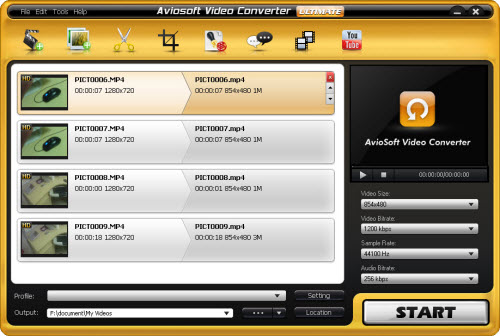
Aviosoft Video Converter Ultimate 5.0.0.6 Full Mediafire Direct Link

Download 0


Aviosoft Video Converter Ultimate 5.0.0.6 | 31.9 Mb


Aviosoft Video Converter is the most stable and comprehensive video converter software that makes video and DVD conversion quick and easy for Apple iPad, iPod, iPhone, Sony PSP, BlackBerry, HTC, Nokia, Archos with just one click. Aviosoft Video Converter also offers easy to use video editing functions which enable you to clip, crop, merge videos efficiently. Additionally, it gives you the ability to add subtitles and titles on your favorite movies, extract audio from video files and convert them into MP2, MP3, AAC and AC3, create video slideshow, and download video files from YouTube, Google, and Yahoo etc.


Aviosoft Video Converter Ultimate makes you enjoy video&DVD on PC and portable devices including iPad, iPod, iPhone, PSP, Mobile Phone, BlackBerry etc. You can also add subtitles on videos or make videos as slideshow.

Home Page - http://www.aviosoft.com/tips/aviosoft-video-converter.html


Author skymediafire on 2 November 2012 @ Software

                 Aviosoft Video Converter Ultimate 5.0.0.6 Mediafire


SolveigMM HyperCam 3.5.1210.30 Full Mediafire Link

Download 0
                                                       

SolveigMM HyperCam 3.5.1210.30 | 15.2 MB
HyperCam 3 - a new version of the popular program HyperCam, developed in conjunction with Hyperionics LLC. Allows you to capture and record the action on the screen, a video and audio into AVI, WMV / ASF files in an editable recorded material. Helps to quickly and easily create video presentations, tutorials, demo videos, save play movies, music and games. Can be controlled using keyboard shortcuts that you can modify in a variety of settings of the product.

The command line interface makes it possible to use HyperCam to automate and integrate the recording process to other applications. The program can be installed on a portable storage device.

Features and capabilities:
- Beautiful, friendly and intuitive graphical interface
- Record what is happening on the screen in AVI, WMV / ASF files
- Compression of the captured video and audio
- Edit the generated files built HyperCam Media Editor
- Convenient and an elaborate system of text items
- Ability to record a specified region and specific window
- Ability to move the recorded region
- Ability to set a record in the pause and continue it
- Capture video in overlay
- Hot keys for basic operations with the possibility of reassignment
- Can be installed on a portable device such as a USB flash card

New in 3.5.1210.30,:

New features:
• Optimized speed of opening programs
• Firmware storyboard HyperCam Media Editor

Corrections:
• Stuck at the opening of the program
• Button to copy the version number in the dialog "About"
• Incorrect display tray-program panel in a vertical tray
• Crash when selecting "System Audio + Mic" if not connected speakers or headphones
• Installation of a portable version removes the normal version of the program if it is already installed on the computer
• When the message "An invalid argument" with the multi-channel audio output configuration
• Select «Line-in» or «Stereomix» causes the error
• HyperCam 3 does not save settings for the decoder Microsoft Video 1
• You can not remove the text readout by pressing the «Delete»
• Changing the interface language immediately when selected, not after pressing «OK»
• You can not save received entry to a network folder
• Crash when closing some applications HyperCam 3
• Optimize designs records
• HyperCam does not capture video from the overlay
• Incorrect display labels of Russian translation
• Skin for windows activation

Author skymediafire on 4 November 2012 @ Software

                           SolveigMM HyperCam 3.5.1210.30 with Key


FotoMorph 13.7.1 Full FREE Mediafire Link

Download 0
                                                                                       
FotoMorph 13.7.1 Full FREE
MediaFire | Hulkshare | Sharebeast | BillionUploads
FotoMorph 13.7.1 Full Version FREE - FotoMorph merupakan aplikasi yang menawarkan proses langkah-demi-langkah mudah untuk membuat animasi gambar secara profesional. Yang harus Anda lakukan adalah masukkan semua gambar, sejajarkan, dan atur titik referensi kemudian ekspor animasi untuk Flash, AVI, atau GIF.

Features

Import image format; BMP, JPEG, PNG, TIFF, GIF
Export image format; BMP, JPEG, PNG, GIF
Export current animation frame to image file
Export animation to image sequence files
Animated GIF, Flash movie and Web page
Export animation to AVI movie
Export animation to Screensaver and Standalone EXE
OpenGL hardware acceleration
Play animation in real time with playing controls
Morphing sequence
Warping sequence
Zoom/pan sequence
Create animations consisting of more than one sequence
Image Deformation feature
Create scrolling and fading text for each sequence
Create scrolling and fading text for whole animation
Create movie add-on effects such as masked background image
Create movie add-on effects such as different animation frames
Print current animation frame; WYSIWYG print preview
Customizable skin user interface

                        FotoMorph 13.7.1 Full FREE


Pinnacle Studio 16 Ultimate v16.0.0.75 Full Activator Direct Mediafire Link

Download 0
                                                                         
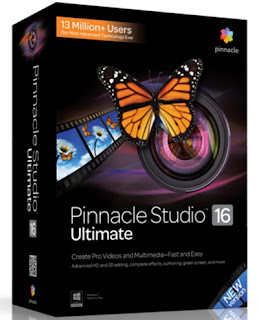
Pinnacle Studio 16 Ultimate v16.0.0.75 Incl Activator


Pinnacle Studio Ultimate is the easy-to-use power tool for creating professional-looking HD and 3D videos and multimedia. You get all the features and trusted technology from Pinnacle Studio Plus and more—advanced stereoscopic 3D, precision editing, enhanced media tagging, Scorefitter soundtracks, and Blu-ray™ authoring. Edit anywhere on an unlimited number of tracks with integral cloud access and Pinnacle Studio for iPad project importing. Easily superimpose people over different backgrounds with the included green screen. Energize your videos with 2000+ 2D/3D transitions, effects and templates—plus the awesome Red Giant Filmmaker’s Toolkit and Motion Graphics Toolkit.
Features

Edit on unlimited tracks with frame accuracy in HD and/or advanced stereoscopic 3D
Create eye-popping effects with Red Giant Filmmaker’s Toolkit and Motion Graphics Toolkit
Add excitement with over 2000 2D/3D additional effects
Includes green screen for shooting with superimposition in mind
Create Dolby® 5.1 surround Blu-ray™/DVD discs and export to your favorite digital devices and formats
Organize, tag, and rate your favorite clips and music with the built-in media library
Enhance and correct movies, photos and audio right inside the media library
Preview timeline and source clips simultaneously
Use the trim editor to set source clip in/out points, then drag trimmed clips to the timeline for perfect cuts—just like the pros
Import clips and movie projects from Pinnacle Studio for iPad1
Quickly learn to make great videos using the included video tutorial DVDs
Storyboard quick first drafts—even create movies automatically
Layer animations and titles easily with included Montage templates
Create custom-fit soundtracks with Scorefitter
Share HD and 3D videos on Facebook®, YouTube®, and Vimeo® with one click
Store projects and clips in the cloud to access anywhere, anytime—includes 50 GB2 of cloud access free from Box
Zip through projects via 64-bit, NVIDIA® CUDA™, and Intel® Quick Sync Video optimization
Access video and photos from HD camcorders and digital devices—even 3D
Easily archive and restore your work with Project Packages
Start Making Movies Today—It’s Fast and Easy
Pinnacle Studio Ultimate is the one powerhouse video editor streamlined to help you quickly and easily create anything from your first movie memories to ambitious movie projects—without an engineering degree. With Pinnacle Studio Ultimate as your creative partner, you’ll spend less time making videos and more time sharing them.

We’ve included an extensive collection of video tutorials from the training experts at Class on Demand, designed to get you creating movies like a pro in no time. Whether you’re just getting started or wanting to enhance your skills, it’s as simple as going online or popping in the included “Getting Started with Studio” DVD.

Import All Your Digital Media
Import your videos and photos manually or automatically from virtually any device—camcorders, digital cameras, webcams, tablets, mobile phones, handheld audio recorders, and more. You can even import 3D clips from cameras like GoPro® and formats like Panasonic™ MVC. Pinnacle Studio Ultimate also supports tape-based3 and analog devices3, and even audio files in 5.1 surround format.

Edit Anywhere, Anytime With iPad and the Cloud
Pinnacle Studio Ultimate features integrated cloud access access so that your media files and projects are always handy, no matter where you are or what you’re doing. Project Packages lets you bundle together all of the media files related to a given movie, taking the work out of organizing and assuring that you always have all the files you need. You can even start editing projects on the go with Pinnacle Studio for iPad1, then transfer them to Pinnacle Studio Ultimate for polishing. We’ve thrown in 50GB2 of free cloud access from Box to get you started.

Organize, Tag and Polish Your Media
With the built-in media library, it’s simple to organize your favorite video clips, photos, music, and other creative elements so you can easily find and reuse them in various projects. Tag and rate your media files, as well as group them into categories for even faster access.

You can even correct and enhance your source media right inside Pinnacle Studio Ultimate’s media editor without the need for additional apps. Crop, pan-and zoom, and eliminate red eye from photos. EQ and clean up noisy audio. Color-correct video and stabilize shaky footage with Hollywood-proven technology. The changes and effects you add to your files in the media library apply whenever you use them in a project or export them for other uses—saving time and streamlining your movie making.

Frame-Accurate Precision Editing
Pinnacle Studio Ultimate features unlimited tracks to let you create sophisticated picture-in-picture and multi-layer effects in HD or 3D—just like a Hollywood pro. Frame-accurate editing gives you precision control over how you tell your story. Pinnacle Studio Ultimate displays source clips and your timeline edit preview simultaneously for intuitive flow. You can set source clip trim in/out points, then drag trimmed clips right into the timeline for fast precision editing—just like the pros.

Edit Your Movies—Fast
Pinnacle Studio Ultimate gives you the flexibility to make movies the way that best suits you or a given project. For instant results, drag-and-drop your desired media elements from the library into SmartMovie or SmartSlide to automatically make great videos—complete with music.

You can also use Storyboard mode to easily create first drafts and visualize how your story will unfold. At any point, you can switch to the timeline for more traditional and precise editing. It all happens at state-of-the-art lightning speeds thanks to optimization for the latest acceleration technologies like 64-bit operation, NVIDIA® CUDA™, and Intel® Quick Sync Video.

Make Movies in Advanced Stereoscopic 3D
From importing to editing to sharing, Pinnacle Studio Ultimate puts the power of industry-leading, Hollywood-proven stereoscopic 3D technology right in your hands. Import 3D video clips from sources like GoPro® 3D cameras and Panasonic® MVC format. Edit in various viewing modes, add true 3D effects, and enjoy the best quality with NVIDIA® 3D Vision® optimization and exclusive GeForce® support. Export to YouTube® 3D, AVCHD™ 3D, and more for viewing on 3D HDTVs, Sony® PS3™, and other 3D devices. Pinnacle Studio Ultimate even lets you mix 2D and 3D in the same project.

Pinnacle Studio Ultimate also has advanced stereoscopic 3D features you won’t find anywhere else, like editing 3D in the timeline just like HD. Our partnership with NVIDIA® allows exclusive NVIDIA® 3D Vision® display in both full-screen and window modes. View 3D on dual monitors and export “side-by-side” formats recognized by most 3D HDTVs. Auto-color correct for both eyes and control stereoscopic 3D depth (parallax effect). When you’re ready to go 3D, Pinnacle Studio Ultimate has everything you need.

Music To Your Ears
No movie is complete without a soundtrack. Pinnacle Studio Ultimate lets you add music with the included Scorefitter library of royalty-free sounds and songs—and they even automatically adjust to fit the length of your movies. Of course, you can also import tracks from other sound libraries or add your own original compositions.


            Pinnacle Studio 16 Ultimate v16.0.0.75


                     Pinnacle Studio 16 Ultimate v16.0.0.75 Activator Direct Mediafire Link


Sony Vegas Movie Studio HD Platinum v11.0.295 With Keygen

Download 0
                                   

Sony Vegas Movie Studio HD Platinum v11.0.295 | 160.57 MB
Sony Vegas Movie Studio HD Platinum software makes video editing easy and fun. Best of all, it is a real-time nondestructive video editor. No matter what changes you make to your video and photos in the software, your original files are never affected! Vegas Movie Studio HD software gives you the freedom to experiment and have fun with video editing, without worrying about making a mistake. Create captivating videos that beg to be watched again and again using Vegas Movie Studio HD. Digital video editing tools add professional pizzazz with transitions, titles, and special effects including green screen and slow motion. Quickly format movies for online sharing sites like Facebook, YouTube and more.


Features:
• Add special effects, transitions, titles, and music
• Zoom, rotate, and pan across photos to animate still images in your movies
• Commemorate special events such as weddings and anniversaries
• Create exciting, professional-looking business presentations
• Red Eye Reduction (stills)
• Simultaneous video monitoring (local and external monitor)
• 4 video tracks
• Unlimited video events per track
• Built-in video preview window
• Over 500 video effects and 2D/3D transitions
• DirectX and VST plug-in effects support
• Audio restoration tools
• ASIO Driver support
• Integrated publish to YouTube
• Export directly to PSP system
• VideoCD and Multimedia CD Burning

                                     Sony Vegas Movie Studio HD Platinum v11.0.295


4Videosoft Video Converter Ultimate 5.1.12

Download 0
                                

4Videosoft Video Converter Ultimate 5.1.12 | 26.6 Mb
4Videosoft Video Converter Ultimate is one professional yet easy-to-use ultimate video converter software, which not only can rip DVD to all popular videos and audios but also convert between any video formats including MPG, MP4, FLV, VOB, MOD, M4V, AVI etc., along with HD videos and extract audio from these videos. It also converts between all audio formats with super fast conversion speed and excellent quality.


Apart from the main converting function, 4Videosoft Video Converter Ultimate also has very powerful editing functions: Trim, Crop, Join, and Watermark. Accompanied with the friendly and easy user-interface, 4Videosoft Video Converter Ultimate can bring you the brand-new visual perception.

Rip DVD movies and convert videos to other video and audio formats
Extract audio from DVD and video and convert to any audio formats
Comprehensive editing functions: Effect, Trim, Crop, Join, and Snapshot, etc.

Key Features

Professional Converting Functions
4Videosoft Video Converter Ultimate is capable of rip DVD to any mainstream video and audio formats, like MP4, AVI, WMV, AAC, MP4, etc.
This ultimate video converter can convert all videos to any other video and audio formats for your enjoyment.
It can be used to convert DVD and video for iPad 2, iPhone 4, iRiver, PSP and other portable devices.

Versatile Editing Functions
You can preview the original video and output video effect at the same time with the assistance of 4Videosoft Video Converter Ultimate, and adjust the video effects by modifying the video Contrast, Brightness, Saturation.
4Videosoft Video Converter Ultimate has the trim function, which helps you get any time-length video or audio clips from your video sources.
With 4Videosoft Video Converter Ultimate, you can adjust the size of video play region and the output aspect ratio to get the perfect playing effect.
Merge your selected DVD chapters/titles or video sources into one file after conversion for you to enjoy successively.
Personalize your video by putting a watermark in the form of text or image.

Various Setting Functions
Select you need audio track and subtitle for output video. You can also choose the output video format for your player from the drop-down list.
All the detailed video and audio settings are provided for you to choose, such as Video Encoder, Resolution, Frame Rate, Video Bitrate, Audio Encoder, Sample Rate, Channels, Audio Bit rate. All settings can be saved as user-defined profile for your later use.

Convenient and Efficient
4Videosoft Video Converter Ultimate is really easy to use. The whole process of conversion can be finished in just a few of clicks.
4Videosoft Video Converter Ultimate adopts NVIDIA® CUDA™ technology, which provides you with the fastest conversion speed(6X faster), completely support multi-core CPUs.


                                                                            How To Download :

                                                             1. Click on the download links above
                                                             2. Wait for few seconds and then click on


               4Videosoft Video Converter Ultimate 5.1.12 exe Setup


            4Videosoft Video Converter Ultimate 5.1.12 keygen here


Xilisoft Video Editor 2.2.0 build 20120901 Free Download

Download 0


No need to be worried about formats, frame rate or file sizes, the functions of video join, split and cut can be easily achieved by Xilisoft Video Editor. The video editing software allows you to edit video files in various formats like AVI, MPEG, H.264, SWF, MOV, WMV, etc. for playback on popular devices like iPod, iPhone, PSP, PS3, and so on. As a video joiner, splitter and cutter, Xilisoft Video Editor has an intuitive interface and makes it easy to turn original videos into works of art. And also you can watch the video in the preview window. Xilisoft Video Editor is well worthy of having a try.


How To Download
1. Click on the download links above
2. Wait for few seconds and then click on


CyberLink Media Suite 10 Ultra Full Version

Download 0

Media was made to be enjoyed. CyberLink Media Suite is designed to give you the ultimate in entertainment, creativity, burning and sharing, and is now supercharged with 3D.Packed with the tools you need, you’ll be able to enjoy Blu-ray and DVD movies, create your own Hollywood productions, share videos and photos to your social communities, organize your media in ways and burn discs to back up your content. With Media Suite, there are no limits to what you can do.

CyberLink Media Suite 10 is designed to make your digital life better. From organizing your media to playing to editing and sharing, there's virtually nothing you won't be able to do to organize, enhance, share and enjoy your videos, photos and music—including 3D media.

Organize your media content, and play Blu-ray movies, videos, photos and music.
Edit home videos with pro-like effects, and convert media to enjoy on mobile devices.
Backup data and burn discs. Protect data with 256-bit data encryption.
Play 3D movies, videos and photo. Create amazing 3D videos, too..
Share your videos and photos with the world, and browse media from social network.


  How To Download
1. Click on the download links above
2. Wait for few seconds and then click on

Corel VideoStudio (2012) Pro X5 v15.0 With KeyGen

Download 0


Powerful Video Editing Software
· Fast & easy HD video creation
· Advanced visual effects
· Complete screen recording
· Innovative sharing


Corel® VideoStudio® Pro X5 is an all-in-one video editor that brings together creative editing, advanced effects, screen recording, interactive web video and total disc authoring. Ultra-fast and packed with intuitive tools, it lets you create everything from family movies and slideshows, to fun stop motion animations, and screen recordings of presentations, tutorials and more. Get creative with advanced compositing and stellar creative effects. Tap into the full power of your multi-core processor with unprecedented speed. And share everywhere with native HTML5 video support, and enhanced DVD and Blu-ray™ authoring.


Features:
* Support almost all formats of audio and video
* Send files to mobile phones
* Audio and video file sharing
* Ability to send to Youtube
* Ability to receive audio files from digital cameras
* Ability to build the Maltese media CDs
* Multiple and diverse effects
* Sound editing
* Different recording formats
* Support for Dolby Digital
* Support for Blu-ray format
* Save the best possible quality and with any desired format
* Plans for a beautiful and varied
* Make movies with ease
* Add a simple piece
* Create DVD movies with best quality
* Very beautiful and attractive user interface
* Easy to work with software
* Ability to use videos to run different parts of the slow
* Feature called Time-Lapse for professional photographers
* Flexible user interface than previous
* Ability to burn DVDs and HD video
* Increase speed and efficiency of software due to compatibility with CPU and GPU
* Ability to create three-dimensional films
* Compatibility with different versions of Windows, including the popular Windows 7

System Requirements:
* Microsoft® Windows® 7, Windows Vista® or Windows® XP with latest service packs installed (32-bit or 64-bit editions)
* Intel® Core™ Duo 1.83 GHz, AMD Dual-Core 2.0 GHz (multi-core processor recommended)
* 2 GB RAM (4 GB or higher recommended)
* 128 MB VGA VRAM or higher (1 GB or higher recommended)
* 3 GB of free hard drive space
* Minimum display resolution: 1024 x 768
* Windows®-compatible sound card
* Windows®-compatible DVD-ROM drive for installation
* Recordable Blu-ray™ drive required for creating Blu-ray™ discs
* Internet connection required for online features and tutorial videos
* Internet connection may be required to verify the serial number during installation

Input/Output Devices Supported:
* 1394 FireWire® cards for use with DV/D8/HDV™ camcorders
* Support for OHCI Compliant IEEE-1394
* USB Video Class (UVC) DV cameras
* Analog capture cards for analog camcorders (VFW WDM support for Windows XP and Broadcast Driver Architecture support for Windows Vista and Windows 7)
* Analog and Digital TV capture devices (Broadcast Driver Architecture support)
* USB capture devices: Web cameras and disc/memory/hard drive camcorders
* Windows®-compatible Blu-ray™, DVD-R/RW, DVD+R/RW,
* DVD-RAM or CD-R/RW drive
* Apple® iPhone®, iPad®, iPod classic® with video, iPod touch®, Sony® PlayStation Portable®, Pocket PC, smartphones

Input Formats Supported:
* Video: AVI, MPEG-1, MPEG-2, AVCHD™, MPEG-4, H.264, BDMV, DV, HDV™, DivX®, QuickTime®, RealVideo®, Windows Media® Format, MOD (JVC® MOD File Format), M2TS, M2T, TOD, 3GPP, 3GPP2
* Audio: Dolby® Digital Stereo, Dolby® Digital 5.1, MP3, MPA, WAV, QuickTime, Windows Media® Audio
* Images: BMP, CLP, CUR, EPS, FAX, FPX, GIF, ICO, IFF, IMG, J2K, JP2, JPC, JPG, PCD, PCT, PCX, PIC, PNG, PSD, PSPImage, PXR, RAS, RAW, SCT, SHG, TGA, TIF, UFO, UFP, WMF
* Disc: DVD, Video CD (VCD), Super Video CD (SVCD)

Note: Some format support may require third-party software.

Output Formats Supported:
* Video: AVI, MPEG-2, AVCHD, MPEG-4, H.264, BDMV, HDV, QuickTime, RealVideo, Windows Media Format, 3GPP,
* 3GPP2,WebM, HTML5
* Audio: Dolby Digital Stereo, Dolby Digital 5.1, MPA, WAV, QuickTime, Windows Media Audio, Ogg Vorbis
* Images: BMP, JPG
* Disc: DVD (DVD-Video/DVD-R/AVCHD), Blu-ray Disc™ (BDMV)


                                                         Download the Software here:


                          VideoStudio Pro X5 Installation File Link


                                                         Download the Keygen here:


                           VideoStudio Pro X5 Keygen Only (252KB)


corel videostudio pro x5 full version free download + genuine keygen

Download 0
                                                       
     
Powerful Video Editing Software

Fast & easy HD video creation
Advanced visual effects
Complete screen recording
Innovative sharing
Powerful video-editing software with screen recording

Corel® VideoStudio® Pro X5 is an all-in-one video editor that brings together creative editing, advanced effects, screen recording, interactive web video and total disc authoring. Ultra-fast and packed with intuitive tools, it lets you create everything from family movies and slideshows, to fun stop motion animations, and screen recordings of presentations, tutorials and more. Get creative with advanced compositing and stellar creative effects. Tap into the full power of your multi-core processor with unprecedented speed. And share everywhere with native HTML5 video support, and enhanced DVD and Blu-ray™ authoring.

Want more effects, filters and templates for advanced video?
Check out VideoStudio Pro X5 Ultimate!

Fast & easy HD video
Get started faster with Instant Projects and templates—and finish faster thanks to high-speed rendering and support for GPU and multi-core processing.
 
Advanced visual effects
Be more creative with 21 multimedia editing tracks, support for multi-layer graphics and advanced drag-and-drop visual effects.
 
Complete screen recording
Make a video featuring anything you do on your desktop, including slideshows, tutorials, product demos, game recordings, how-to videos and more.
 
Innovative sharing
Create interactive online video and quickly burn pro-quality discs, complete with menus, titles and transitions.

Looking for volume licensing info?
Email us or visit our volume licensing store

Corel® VideoStudio® Pro X5 is video-editing software that helps you create and share captivating movies.
 
SKY MEDIA © 2012 TechnoJourney. All rights reserved. The content is copyrighted to GN-Mediafire and may not be reproduced on other websites.. MEDIAFIRE DOWNLOAD CENTER
Proudly Powered by: Mediafire

MEDIAFIRE DOWNLOAD CENTER