Web Toolbar by Wibiya

Xilisoft Video Converter Ultimate 7.6.0.20121127 full

Download 0


Xilisoft Video Converter Ultimate 7.6.0.20121127 | 36.3 MB
Xilisoft Video Converter is powerful, versatile video conversion software which converts between all popular video formats such as convert AVI to MPEG, WMV to AVI, WMV to MPEG or H.264/AVC video, convert AVI files to iPod formats, etc. No other programs like Xilisoft Video Converter supports so comprehensive video formats including AVI, MPEG, WMV, DivX, MP4, H.264/MPEG-4 AVC, RM, MOV, XviD, 3GP, FLV, VOB (the video format used in DVD), DAT (the video format used in VCD, SVCD), etc. In addition, the video converter provides an easy way to convert video file to popular audio file, like MP2, MP3, WMA, WAV, RA, M4A, AAC, AC3, OGG, etc. The video converter also supports APE, CUE decoding and audio CD ripping.


* Act as 3GP Video Converter, iPod Video Converter, PSP Video Converter, Zune Video Converter, AVI MPEG Converter, MP4 Video Converter, MOV Converter, MKV to MPEG converter, etc.;
* Convert between all popular video formats including AVI, MPEG, WMV, DivX, MP4, H.264/MPEG-4 AVC, RM, MOV, XviD, 3GP, FLV, help you on how to convert AVI to MPEG, convert MKV to AVI, convert MKV to MPEG;
* Convert videos to popular audio files, including MP2, MP3, WMA, WAV, RA, M4A, AAC, AC3, and OGG, and convert between these audio formats;
* Extract pictures from video and output them as JPG, PNG, GIF, BMP, SWF;
* Convert pictures to video formats like AVI, FLV, SWF, MOV, 3GP, WMV, etc.

Key Features:
* Powerful video effect editing functions to customize your video: crop video size, edit video effects, and add video watermark; (Ultimate only)
* Support the decoding and encoding of lossless audio; (Ultimate only)
* Preview and compare the source video and fixed video; (Ultimate only)
* Merge several video segments to one for conversion; (Ultimate and Platinum only)
* Clip segments from video and audio, and output them respectively or merge them into one for output; (Ultimate and Platinum only)
* Preview clipped video segment; (Ultimate and Platinum only)
* More optimized and classified profiles are supported now, and any profile can be customized to create your own one with your favorite settings;
* Customize the output file size and auto-calculate corresponding video bit rate;
* Multiple output formats can be set for one original to facilitate your conversion;
* Convert videos to compatible formats to work on PSP, PS3, iPod, iPhone, Apple TV, Zune, Archos, blackberry, iRiver PMP, Creative Zen, etc.;
* It supports H.264/AVC video format, PSP H.264/MPEG-4 AVC encoding/decoding, PSP H.264/AVC Video (480x272) (*.mp4);
* It provides batch conversion and multithreading, thus you can select multiple files at one time to have them convert one by one automatically;
* You can convert any clip or segment of the video at will by setting the start point and duration, and split one source file to several by duration or file size;
* video codec and audio codec can be modified: alternatively select video codec such as MPEG4, DVvideo, Mjpeg, etc. for AVI, H263, and MPEG4 for 3GP, as well as audio codec like PCM, MP2, MP3, MPEGAAC, AC3, etc.
* When converting files, you can pause, stop and continue at any moment;
* You can keep the default settings or set parameters of the video and audio by yourself to get particular effects for output file.

Home page -
http://www.xilisoft.com/


                  Xilisoft Video Converter Ultimate 7.6.0.20121127


MAGIX Movie Edit Pro 2013 Premium 12.0.0.32 - Rapidshare

Download 0

Ashampoo Burning Studio 2012 12.0.1.8 (3510) Multilingual Full Version

Download 0

AudioTool Media Audio Record Edit Toolbox Pro 12.8.1 With Key

Download 0
                               

AudioTool Media Audio Record Edit Toolbox Pro 12.8.1 | 22.7 MB
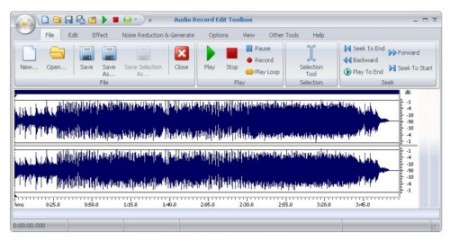
Audio Record Edit Toolbox helps you transfer tapes, LPs, live performances, Internet radio, TV, DVD, or any other sound source to your hard drive. The software helps protect your valuable recordings--just set the sound source, the recording quality, and volume, then start recording. The Editor allows you to perform various operations with audio data such as displaying a waveform image of an audio file, filtering, applying various audio effects and more. It includes a click and crackle filter for cleaning vinyl records, a noise filter for cassette-tape recordings, and an equalizer to enhance the sound quality of all recordings.


Key Features

Recording
Record new audio file from a microphone or another sound source.

Editing
Open, create and save audio files. Play an audio file or any part of it. Visually edit an audio file (Cut, Copy, Delete, Paste, PasteFrom File, Mix, Mix From File and Insert or Delete noise or silence in an audio file).

Top 5 Reasons to choose Audio Record Edit Toolbox
- Powerful Functions
- Best Quality
- Great Feedback
- 100% Clean
- Instant Delivery

Display
Display a waveform window of an audio file and apply zooming.

Digital effects
Apply different effects (Amplify, Delay, Equalizer, Fade, Flanger, Invert, Normalize, Reverse, Multi Tap Delay, Silence, Stretch, Vibrato, Echo, Chorus)

Audio filters
Apply different filters to the selected part of an audio file (Ban Pass Filter, High Pass Filter, High Shelf Filter, Low Pass Filter, Low Shelf Filter, Notch Filter)

Support all major audio formats
Audio Record Edit Toolbox supports a wide range of audio formats, such as MPEG (MP3, MP2), WAV, Windows Media Audio, Ogg Vorbis, Audio Tracks and Dialogic VOX. It is easy to convert an audio file from one format to another

Ease of use
Audio Record Edit Toolbox provides a customizable interface, allowing you to build projects the way you want. It also supports standard Windows keyboard commands and mouse shortcuts

Markers
Use markers in your audio file to quickly select between different selections!

Selection tool
Select a part of your audio file precisely with the selection tools of Audio Record Edit Toolbox

Home Page -
http://www.audio-tool.net


           AudioTool Media Audio Record Edit Toolbox Pro 12.8.1


HitFilm Ultimate 2.0.1024.51947 (x64) + Crack

Download 1


HitFilm Ultimate 2.0.1024.51947 (x64) | 162.3 MB
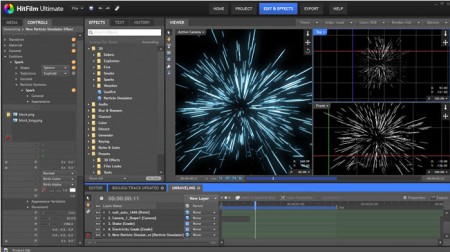
HitFilm Ultimate is a professional video editing application that provides users with a wide range of features for applying quality visual effects to your media files.


True 3D compositing
Groundbreaking 2D and 3D compositing. Import 3D models. 3D camera solving with mocha HitFilm. Professional keying and color grading.

Unrivalled visual effects
Over 150 pro effects: World class 3D particle simulators. Procedurally generated visuals. Lights & flares. Nothing else comes close.

A revolution in video editing
All your essential editing tools. A revolutionary workflow. Everything you need at your fingertips, in a single product.

Compositing
Design stunning visuals with HitFilm 2 Ultimate's arsenal of compositing tools. Import 3D models, camera solve with mocha HitFilm, extract professional green screen keys and work in both 2D and 3D. This is Ultimate power.

Work with 3D models
Built-in support for using 3D models inside HitFilm, with lights, shadows, motion blur and depth of field. It's a revolutionary workflow.

Superior 2D & 3D compositing
Combine traditional 2D layer compositing with an advanced 3D workspace and sophisticated animation controls.

Keying & matte creation
Professional, fully featured chroma key for green screen removal and a wide range of tools for perfecting and enhancing your composites.

2D & 3D tracking
Super-fast optical flow feature tracking plus mocha HitFilm for planar tracking and 3D camera solving. The perfect tracking solution.

Visual effects
HitFilm 2 Ultimate includes over 150 professional effects. Design unique, high quality visuals for your projects with vast customization options and an intuitive interface.

Video editing
Everything together in one place. Switch between efficient non-linear editing and advanced visual effects at any time, without changing interface. It'll change the way you think about post.

Home Page -
http://hitfilm.com/


             HitFilm Ultimate 2.0.1024.51947 (x64)


GiliSoft Video Editor 3.1.2 +Crack

Download 0


GiliSoft Video Editor 3.1.2 | 12.8 Mb
No need to be worried about formats, frame rate or file sizes, the functions of video join, split and cut can be easily achieved by Gilisoft Video Editor. The video editing software allows you to edit video files in various formats like AVI, MPEG, H.264, SWF, MOV, WMV, etc. for playback on popular devices like iPod, iPhone, PSP, PS3, and so on. The three processes, video join, split and cut, can run in background without too much space occupation.


As a video joiner, splitter and cutter, Gilisoft Video Editor has an intuitive interface and makes it easy to turn original videos into works of art. And also you can watch the video in the preview window. Gilisoft Video Editor is well worthy of having a try.

Features and Benefits:

• Format choice in joiner
You can join many videos in different formats at one time and the format of output file will be one of the input formats.

• Preferences in joiner
Gilisoft Video Editor allows you to set frame rate, bit rate, and resolution to get the best effect.

• Manual or auto split
Split manually by dragging the slider to locate the split point. Or split automatically by setting split time or file size, or averagely.

• Choose desired clips to output
Cut off any clips you want and they will be shown in list. If you are not satisfied with some clips, you can directly delete them in the list and output the desired clips as a one.

• Various parameters
The comprehensive video editing software provides many detailed parameters including frame rate, video bit rate, and resolution. By setting them, you will get expectant effects in a short time.

• Support preview
The video edit software supports previewing the source video and target file. If necessary, you can adjust the sequence of output video file.

• Run in background
You can run the video editing software in background when cutting, splitting or joining video to possess less space.

• Preview video
The video editor provides large preview window for you to preview the original and the output file.

• Hardware Compatible
Fully support Intel® Pentium D Dual-Core Processor and AMD Athlon™ 64X2 Dual-CoreProcessor;

• System Compatible
XP/Vista/Windows 7 (32&64)

Home Page -
http://www.gilisoft.com/


                        GiliSoft Video Editor 3.1.2


GiliSoft SlideShow Movie Creator Pro 5.1 + Crack

Download 0


GiliSoft SlideShow Movie Creator Pro 5.1 | 22.8 MB
GiliSoft SlideShow Movie Creator is the easy-to-use yet powerful photo slide software.With it,you can combine your photos into video with music and 2D/3D transition effects for sharing with your friends,and you can easily turn your photo collections to personalized videos in format of AVI, MPEG, WMV, DivX, MP4, H.264/AVC, AVCHD, MKV, RM, MOV, XviD or 3GP.


Easy-to-operate with a friendly interface, you are enabled to create more personalized photo videos by appending background music from imported audios, add transitional effects between images, adjust the orientation and display sequence of the imported photos and etc. What you can imagine, you can have it all with GiliSoft Slideshow Movie Creator.

Features and Benefits:

•Support Multiple Photo Formats
Support multiple image formats, including jpg, jpeg, png, bmp.

•Keep photo apsect
Support auto-adding black area to keep the original photo aspect.

•Easy to edit photo
You can adjust the photo direction and add photo description.

•Support Various Audio Files
Support import MP3,WAV,WMA,OGG,FLAC,M4A,AU files,even can import video formats supported include AVI, MPEG, WMV, MP4, FLV, MKV, H.264/MPEG-4 AVC, AVCHD, etc..

•Many 2D/3D transition effect
Support more than 300 different 2D/3D video transition effects.

•User-defined header and trailer
Support designing the header and trailer of slideshow video, you can choose the picture or video clip as the material.

•Instant and Convenient Preview
Support real-time previewing photo slideshows,you can view any settings change.

•Support to export various video format
Support exporting videos in format of AVI, MPEG, WMV, DivX, MP4, H.264/AVC, AVCHD, MKV, RMVB, MOV, XviD or 3GP.

Home Page -
http://www.gilisoft.com/product-slideshow-creator.htm


                  GiliSoft SlideShow Movie Creator Pro 5.1 + Crack


4Videosoft DVD Converter Suite Platinum 5.0.32.9310 ML Portable full

Download 0


4Videosoft DVD Converter Suite Platinum 5.0.32.9310 ML Portable | 50.5 MB

4Videosoft DVD Converter Suite offers the solution of converting any DVD and video to other video and audio formats you need for your player. It can also help you transfer iPod/iPhone/iPad video, audio, photo, etc. to computer directly.


Packed with DVD Ripper Platinum, Video Converter Platinum, DVD Creator and iPhone Transfer Platinum, 4Videosoft DVD Converter Suite Platinum can not only convert DVD and video files, but also can transfer files between iPhone/iPad/iPod and computer, and burn any video file to DVD disc/DVD folder/ISO file freely and quickly.

- Convert DVD/video to any video and audio format you need
- Burn any video file to DVD disc/DVD folder/ISO file
- Transfer files between iPhone/iPad/iPod and computer
- Highly support all Apple devices, including iPhone 4S and iPad 2
- Be compatible with latest iOS and iTunes
- Super fast converting, burning and transferring speed


                 4Videosoft DVD Converter Suite Platinum 5.0.32.9310 ML Portable


ACDSee Video Converter Pro 3.0.23.0 Eng Portable Full

Download 0


ACDSee Video Converter Pro 3.0.23.0 Eng Portable | 23.9 Mb

ACDSee Video Converter 3 takes the guesswork out of converting video files. Quickly and easily convert 720p and 1080p HD video files between the most popular media formats for high quality playback on mobile devices, including the iPhone 5 and Samsung Galaxy S III. Upload your videos to YouTube, and post to Facebook and Twitter, for convenient one-stop sharing. You can also extract your favorite MP3 audio from downloaded video files. Go with the Pro version to do even more with your videos: burn and rip DVDs, watch handy previews, adjust the volume, create still images, and trim your favorite segments.


Multiple videos, multiple formats
Add a group of videos to your list and choose a different output format for each. Press the Start button to begin batch converting all the videos on your list. You can even set the program to close after the batch conversion is done, or pause and restart at your convenience.

Convert videos and audio among all popular file formats
Convert between all kinds of video and audio formats, including: AVI, MP4, MKV, FLV, 3GP, 3G2, WMV, MOV, VOB, MPG, PSP, M4V, VCD, DVD, ARM, ASF, AVS, SWF, MPEG, MTV, OGG, H261, H263, H264, MP3, M2TS and more.

Share Online
Show your videos to friends, family and the world. Optimize and upload your videos to YouTube, right from ACDSee Video Converter. You can also post to Facebook and Twitter all at the same time.

Designed for portable media devices
Start converting right away, thanks to optimized presets for all kinds of portable media devices such as the iPhone 5, the new iPad, Samsung Galaxy S III, Apple TV, PSP and Zune; mobile phones including HTC, Google Nexus One, Motorola, BlackBerry and Nokia; and game consoles like the PS3 and Xbox 360.

Fully customizable output presets
Fine-tune your output options and store them as user-defined presets by choosing and customizing frame size, video bitrate, audio bitrate and more. Your output preferences will be properly configured for your device, every time.

Fill your screen
The smart video aspect ratio clipping feature makes full use of your device’s screen. When the input video aspect ratio does not match the output profile screen aspect ratio, ACDSee Video Converter will automatically trim the edges of the input video to ensure it takes advantage of your full screen.

Save those sounds
Easily extract the audio from your favorite videos. Convert the background music from videos downloaded from the Internet to an audio format such as MP3 and WMA for listening on the go on your iPhone, iPod, Android, or other mobile device.

Show some skin
Change the look and feel of ACDSee Video Converter at the click of a button. Select from 5 different skins to suit your mood, from classic silver to a wood finish.

Go for the Pro - Do even more with your videos. Step up to ACDSee Video Converter Pro 3 so you can:
Burn DVDs
Burn any set of videos, complete with ISO image file, to DVD for playback on NTSC and PAL systems. Enjoy watching your videos on a DVD player, or send the discs to your friends and family for easy sharing.

Rip DVDs
Copy the contents of your DRM-free DVDs to your hard drive in a number of popular video and audio formats, including MP4, AVI, MOV, and WMV. Back up your videos, or convert and transfer them for playback on mobile devices and other media players.

Supported input file formats
AVI MP4 MKV FLV 3GP 3G2 WMV MOV VOB MPG PSP M4V VCD DVD ARM ASF AVS SWF MPEG MTV OGG H261 H263 H264 RM VID BFI C93 DRC DNXHD DSICIN DV DIF DXA EA FFM FLIC V4L GXF CIN CGI MVE LMLM4 LIBDC1394 NUT MJPEG M1V M2V M2T M2TS MVI MXF V NSV NUV OGV V4L2 RCV VMD PVA R3D YUV CIF GCIF RGB RL2 ROQ RPL CPK VB SON SMK STR THP SEQ TXD VC1 4XM VFM WC3 VQA Y4M

Supported output file formats
AVI WMV MP4 3GP FLV MOV ASF M4V MKV DV MPEG1 MPEG2 VOB WMA MP3

Supported mobile device profiles
Apple iPhone 3G/4/4S/5, iPod Touch/Touch 4/Classic/Nano, iPad, iPad 2, the new iPad, Apple TV 2/3; Samsung S II/III, Wave723; Nokia N86, 7230, 5233, N76, N82; Blackberry 8520, Curve 8300, Bold 9000, Bold Series; LG Optimus 2x; HTC Flyer, Sensation, Vivid; Motorola RAZR; Sony Ericsson W700I; Microsoft Zune; and many more!


             ACDSee Video Converter Pro 3.0.23.0 Eng Portable


Aneesoft Kindle Fire Converter Suite v3.5.0.0 full

Download 0


With 2 powerful software in one pack, Aneesoft Kindle Fire Converter Suite is the best solutions to Kindle Fire conversions. The pack contains Aneesoft Kindle Fire Video Converter and Aneesoft DVD to Kindle Fire Converter that convert any video and DVD files to Kindle Fire MP4 videos with excellent quality! Aneesoft Kindle Fire Video Converter can convert almost all video files like HD videos, 3GP, ASF, AVI, DV, VOB, FLV, MTS, M4V, MKV, MJPG, MPG etc. to Kindle Fire MP4 files formats. While Aneesoft DVD to Kindle Fire Converter can rip DVD to Kindle Fire formats such as H.264/MPEG-4 video 720P, 1080P, 640*480 etc..


Fully support Kindle Fire video formats with various resolution, such as 1920*1080, 1280*720, 640*480, 720*480, 480*360 etc.
Convert all popular video files to Kindle File MP4; decrypt and rip DVD movies to Kindle Fire compatible format for playback.
Personalize videos on the go using video editing tools and setting video audio parameters.

Key Features of Aneesoft Kindle Fire Converter Suite

Just one click to convert
Aneesoft Kindle Fire Converter Suite converts batch videos file and DVDs to Kindle Fire MP4 videos with one click, such as mts to kindle fire, mpg to kindle fire, iso to kindle fire, mov to kindle fire and so on.
Customize video on the go
Before converting, Aneesoft Kindle Fire Converter Suit supports for setting video resolution, video bit rate, frame rate, audio bit rate, sample rate, and channel as you wish!
Personalize video easily
This Kindle Fire Converter Suit lets you edit video if you like. You can flexibly crop video size, change aspect ratio, add text or image watermark, set video effect gray, invert, gamma, sepia, embossmet etc., adjust brightness and contrast etc.
Merge multiple files into one with one click
Input as many files as you want and easily merge them all into one single file with one click of the mouse.
Built-in preview and one-click screenshot
Play DVD and video with the built-in player and then snap screenshots to be saved as JPEG image files.
Flexibly select your wanted audio and subtitle
Aneesoft Kindle Fire Converter Suite enables you to select your preferred audio, subtitle if your video files come along with multiple subtitles and audio tracks.
User-friendly interface, easy operation
Even novice can find it’s so easy and so quick to convert video for Kindle Fire playback in just three steps: load video files, select output profile and click convert button.


                    Aneesoft Kindle Fire Converter Suite v3.5.0.0 full


Mepmedia Mp3 Editor Deluxe 4.0.1+Crack

Download 0


Mepmedia Mp3 Editor Deluxe 4.0.1
MP3 Editor Deluxe, an ideal solution for audio editing and mastering, includes all the great features of MP3 Editor Pro - and many more! The program contains everything you need to create great sounding recordings and audio CDs, including professional tools for recording, editing and analyzing. A large range of high quality audio tools and effects are integrated in MP3 Editor Deluxe - including tools for dynamic processing, equalizing, numerous effects such as echo, amplification, noise reduction, reverb, chorus and flanger, as well time stretching and key transposition tools. Recordings distorted by noise, clicks, crackle, clipping or missing high frequency content can be restored. MP3 Editor Deluxe is one of several excellent audio creation products from MEPMedia. Its user interface is also designed with speed, accuracy and ease of use in mind.


Include All the Great Features of MP3 Editor Pro
MP3 Editor Deluxe is an ideal and efficient audio editing and audio production tool for both amateurs and professional users. It provides powerful and user-friendly editing environment which suits beginners especially. The program contains all the great features of MP3 Editor Pro like editing music visually and nondestructively, recording music visually, applying cool effects and filters, converting audio formats within all popular formats.

Merge Audio Files for Non-stop Entertainment
If you are looking for ways to merge a bunch of audio files into one larger file, the inbuilt Audio File Merger provided by MP3 Editor Deluxe is just on your target! It is capable of combining many separate music tracks into one non-stop audio CD and merging separate audiobook chapters into one big audiobook.

Edit WMA Info
You may have downloaded some streamlined music pieces that are in WMA extension. However, when you open them, the names of the music are all the same website where the music downloaded from. In this case, it is necessary to edit these WMA files. WMA Info editor built in MP3 Editor Deluxe allows users to change tagged information about your WMA music files like WMA audio's title, artist, time, album name and more for convenient identification and management.

Rip Audio CD
Whether you convert a single audio CD to hard drive or copy your entire CD music collection to digital audio files, it's a breeze with Audio CD Ripper. With the Audio CD Ripper of MP3 Editor Deluxe, you can extract digital audio tracks directly from audio CDs to most popular audio formats as MP3, WAV, WMA and OGG, maintaining pure audio quality.

Create Music CD
With numerous online music stores to choose from, it's simple enough to amass a huge collection of music on your computer's hard drive. And from that library you can assemble the perfect playlists to fit any occasion. But the question remains how to free your music from its computer prison. The most versatile way to make your music mobile is to burn it onto a trusty audio CD. The built-in Audio CD Burner of MP3 Editor Deluxe lets you create high-quality music CDs that play in any player. It burns directly from MP3 or WAV without the need to convert in advance.

More Professional
MP3 Editor Deluxe is designed to be a very easy and intuitive to use audio editing package. Within minutes you will be able to open or record a file and edit it. But if you take time to explore the other features you will find many powerful tools like disc eraser designed with the professional sound engineer in mind.


   Mepmedia Mp3 Editor Deluxe 4.0.1+Crack


WinX Blu-ray Decrypter 3.4.1.0 with Key

Download 0

Aviosoft Video Converter Ultimate 5.0.0.6 Full Mediafire Direct Link

Download 0


Aviosoft Video Converter Ultimate 5.0.0.6 | 31.9 Mb


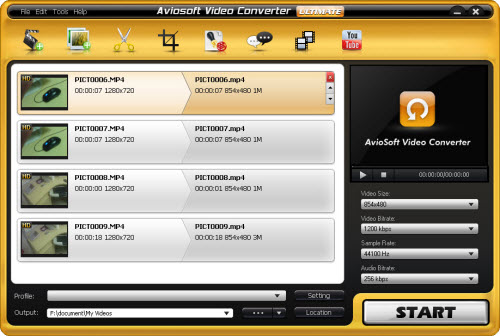
Aviosoft Video Converter is the most stable and comprehensive video converter software that makes video and DVD conversion quick and easy for Apple iPad, iPod, iPhone, Sony PSP, BlackBerry, HTC, Nokia, Archos with just one click. Aviosoft Video Converter also offers easy to use video editing functions which enable you to clip, crop, merge videos efficiently. Additionally, it gives you the ability to add subtitles and titles on your favorite movies, extract audio from video files and convert them into MP2, MP3, AAC and AC3, create video slideshow, and download video files from YouTube, Google, and Yahoo etc.


Aviosoft Video Converter Ultimate makes you enjoy video&DVD on PC and portable devices including iPad, iPod, iPhone, PSP, Mobile Phone, BlackBerry etc. You can also add subtitles on videos or make videos as slideshow.

Home Page - http://www.aviosoft.com/tips/aviosoft-video-converter.html


Author skymediafire on 2 November 2012 @ Software

                 Aviosoft Video Converter Ultimate 5.0.0.6 Mediafire


Pinnacle Studio 16 Ultimate v16.0.0.75 Full Activator Direct Mediafire Link

Download 0
                                                                         
Pinnacle Studio 16 Ultimate v16.0.0.75 Incl Activator


Pinnacle Studio Ultimate is the easy-to-use power tool for creating professional-looking HD and 3D videos and multimedia. You get all the features and trusted technology from Pinnacle Studio Plus and more—advanced stereoscopic 3D, precision editing, enhanced media tagging, Scorefitter soundtracks, and Blu-ray™ authoring. Edit anywhere on an unlimited number of tracks with integral cloud access and Pinnacle Studio for iPad project importing. Easily superimpose people over different backgrounds with the included green screen. Energize your videos with 2000+ 2D/3D transitions, effects and templates—plus the awesome Red Giant Filmmaker’s Toolkit and Motion Graphics Toolkit.
Features

Edit on unlimited tracks with frame accuracy in HD and/or advanced stereoscopic 3D
Create eye-popping effects with Red Giant Filmmaker’s Toolkit and Motion Graphics Toolkit
Add excitement with over 2000 2D/3D additional effects
Includes green screen for shooting with superimposition in mind
Create Dolby® 5.1 surround Blu-ray™/DVD discs and export to your favorite digital devices and formats
Organize, tag, and rate your favorite clips and music with the built-in media library
Enhance and correct movies, photos and audio right inside the media library
Preview timeline and source clips simultaneously
Use the trim editor to set source clip in/out points, then drag trimmed clips to the timeline for perfect cuts—just like the pros
Import clips and movie projects from Pinnacle Studio for iPad1
Quickly learn to make great videos using the included video tutorial DVDs
Storyboard quick first drafts—even create movies automatically
Layer animations and titles easily with included Montage templates
Create custom-fit soundtracks with Scorefitter
Share HD and 3D videos on Facebook®, YouTube®, and Vimeo® with one click
Store projects and clips in the cloud to access anywhere, anytime—includes 50 GB2 of cloud access free from Box
Zip through projects via 64-bit, NVIDIA® CUDA™, and Intel® Quick Sync Video optimization
Access video and photos from HD camcorders and digital devices—even 3D
Easily archive and restore your work with Project Packages
Start Making Movies Today—It’s Fast and Easy
Pinnacle Studio Ultimate is the one powerhouse video editor streamlined to help you quickly and easily create anything from your first movie memories to ambitious movie projects—without an engineering degree. With Pinnacle Studio Ultimate as your creative partner, you’ll spend less time making videos and more time sharing them.

We’ve included an extensive collection of video tutorials from the training experts at Class on Demand, designed to get you creating movies like a pro in no time. Whether you’re just getting started or wanting to enhance your skills, it’s as simple as going online or popping in the included “Getting Started with Studio” DVD.

Import All Your Digital Media
Import your videos and photos manually or automatically from virtually any device—camcorders, digital cameras, webcams, tablets, mobile phones, handheld audio recorders, and more. You can even import 3D clips from cameras like GoPro® and formats like Panasonic™ MVC. Pinnacle Studio Ultimate also supports tape-based3 and analog devices3, and even audio files in 5.1 surround format.

Edit Anywhere, Anytime With iPad and the Cloud
Pinnacle Studio Ultimate features integrated cloud access access so that your media files and projects are always handy, no matter where you are or what you’re doing. Project Packages lets you bundle together all of the media files related to a given movie, taking the work out of organizing and assuring that you always have all the files you need. You can even start editing projects on the go with Pinnacle Studio for iPad1, then transfer them to Pinnacle Studio Ultimate for polishing. We’ve thrown in 50GB2 of free cloud access from Box to get you started.

Organize, Tag and Polish Your Media
With the built-in media library, it’s simple to organize your favorite video clips, photos, music, and other creative elements so you can easily find and reuse them in various projects. Tag and rate your media files, as well as group them into categories for even faster access.

You can even correct and enhance your source media right inside Pinnacle Studio Ultimate’s media editor without the need for additional apps. Crop, pan-and zoom, and eliminate red eye from photos. EQ and clean up noisy audio. Color-correct video and stabilize shaky footage with Hollywood-proven technology. The changes and effects you add to your files in the media library apply whenever you use them in a project or export them for other uses—saving time and streamlining your movie making.

Frame-Accurate Precision Editing
Pinnacle Studio Ultimate features unlimited tracks to let you create sophisticated picture-in-picture and multi-layer effects in HD or 3D—just like a Hollywood pro. Frame-accurate editing gives you precision control over how you tell your story. Pinnacle Studio Ultimate displays source clips and your timeline edit preview simultaneously for intuitive flow. You can set source clip trim in/out points, then drag trimmed clips right into the timeline for fast precision editing—just like the pros.

Edit Your Movies—Fast
Pinnacle Studio Ultimate gives you the flexibility to make movies the way that best suits you or a given project. For instant results, drag-and-drop your desired media elements from the library into SmartMovie or SmartSlide to automatically make great videos—complete with music.

You can also use Storyboard mode to easily create first drafts and visualize how your story will unfold. At any point, you can switch to the timeline for more traditional and precise editing. It all happens at state-of-the-art lightning speeds thanks to optimization for the latest acceleration technologies like 64-bit operation, NVIDIA® CUDA™, and Intel® Quick Sync Video.

Make Movies in Advanced Stereoscopic 3D
From importing to editing to sharing, Pinnacle Studio Ultimate puts the power of industry-leading, Hollywood-proven stereoscopic 3D technology right in your hands. Import 3D video clips from sources like GoPro® 3D cameras and Panasonic® MVC format. Edit in various viewing modes, add true 3D effects, and enjoy the best quality with NVIDIA® 3D Vision® optimization and exclusive GeForce® support. Export to YouTube® 3D, AVCHD™ 3D, and more for viewing on 3D HDTVs, Sony® PS3™, and other 3D devices. Pinnacle Studio Ultimate even lets you mix 2D and 3D in the same project.

Pinnacle Studio Ultimate also has advanced stereoscopic 3D features you won’t find anywhere else, like editing 3D in the timeline just like HD. Our partnership with NVIDIA® allows exclusive NVIDIA® 3D Vision® display in both full-screen and window modes. View 3D on dual monitors and export “side-by-side” formats recognized by most 3D HDTVs. Auto-color correct for both eyes and control stereoscopic 3D depth (parallax effect). When you’re ready to go 3D, Pinnacle Studio Ultimate has everything you need.

Music To Your Ears
No movie is complete without a soundtrack. Pinnacle Studio Ultimate lets you add music with the included Scorefitter library of royalty-free sounds and songs—and they even automatically adjust to fit the length of your movies. Of course, you can also import tracks from other sound libraries or add your own original compositions.


            Pinnacle Studio 16 Ultimate v16.0.0.75


                     Pinnacle Studio 16 Ultimate v16.0.0.75 Activator Direct Mediafire Link


MAGIX Video Deluxe 2013 Plus v 12.0.1.4 full version

Download 0

                                                          
MAGIX Video Deluxe 2013 Plus v 12.0.1.4
Information about the program
Title: MAGIX Video Deluxe 2013 Plus
Version: 12.0.1.4
Year: 2012
Platform: Windows XP/Vista/7/8
Language: Russian
Medicine: patch
Size: 259 Mb


MAGIX Video Deluxe 2013 Plus will impress the most demanding of users due to the unique of its kind feature set for detailed video and Professional sound - you will be able to customize the effects and templates are exactly in accordance with your wishes. Only MAGIX - integrated in the tool Audio Mastering Suite will allow you to have scoring in studio quality.

Only with MAGIX Video Deluxe 2013 Plus you will have the freedom to act in the processing of your video: Unique features, such for example as a secondary color correction, editing multikamerny for two cameras and animation travel routes will enable the implementation of the most courageous of your ideas. No more boring video!

Do you have a 3D-TV? With MAGIX Video Deluxe 2013 Plus you will be able to work with 3D-video is as easy as with standard 2D-records. With the preview monitor you can view the recording in any 3D-format and to any treatment directly in 3D. When you export, you also will not have any restrictions - you can export the file is on the memory card for mobile devices, as well as directly on 3D-channel YouTube.

The benefits:
- The unique performance and speed of the export
- Video editing on 99 tracks and
- Full support for HD (HDV, AVCHD/50p)
- Full support Stereo3D
- Multi-compartment editing (for 2 cameras)
- Professional trailers
- Secondary color correction
- Animation and travel routes
- The full scoring (Dolby ® Digital 5.1)
- Professional menu design with high quality templates
- Flexible output: As the file to disk
- DVD and Blu-ray, upload to YouTube and Facebook

All functions:
- NEW! Accelerated: The downloading time, productivity and performance of exports!
- NEW! Proschityvanie all significant effects directly GPU
- Public timeline
- Screencapturing (screen capture)
- Seamless editing HD / AVCHD-material
- Assistant to import AVCHD and preview features
- NEW! Support for the new video standard - AVCHD progressive (50p)
- Recognition of the computer capacity
- Intelligent Rendering (SmartRendering) AVCHD
- Individual installation
- Automatic installation
- NEW! Improved user interface with quick access.
- NEW! Visual display of video and audio on a single track on a temporal scale.
- A flexible user interface
- Scaling monitor
- BETTER! Multi-compartment editing (for 2 cameras)
- NEW! Automatic synchronization of records from multiple cameras including the soundtrack
- Creating effects with accelerated preview
- High-quality effects, transitions, and attenuation
- Fast preview effects
- NEW! Added rendering previews for Stereo3D-and multikamerny projects
- NEW! The new processor features "hromakey» (Chroma-Key) for optimal abstraction facilities.
- NEW! Built Anti-Spill provides sharp contours - without disturbing the green edges.
- Faster image stabilization
- Dynamic slowdown
- Full color correction
- Primary color correction
- Secondary color correction
- Professional templates effects
- Theme templates trailers
- Transitions with sound
- Selective application of effects
- Animation and travel routes
- BETTER! The subtitle editor with direct preview
- NEW! Easy text entry, a special adjustment in the sliders and convenient input from the monitor to preview
- The function is scaled to precisely control effects
- Professional audio processing
- Automatic scoring
- Dolby ® Digital 5.1 (Surround-Sound)
- To restore the sound
- Individual design of the menu ("Authoring" discs)
- NEW! Many new menu templates
- Assistant to the export
- Direct export to an SD memory card
- Burn
- Output to mobile devices
- Upload a video to Facebook
- Download videos from YouTube and Vimeo
- Full Stereo3D cycle
- Processing of own 3D-records
- These transitions and titles in 3D
- Compatible with all common 3D-devices.
- 3D export in all formats

Supported operating systems
Microsoft ® Windows ® 8 (32-Bit and 64-Bit)
Microsoft ® Windows ® 7 (32-Bit and 64-Bit)
Microsoft ® Windows ® Vista ® (32-Bit and 64-Bit)
Microsoft ® Windows ® XP (32-Bit)

Supported import formats
Video: AVI, DV-AVI, MPEG-1, MPEG-2, MPEG-4, MTS, M2TS, MXV, MJPEG, QuickTime ®, WMV (HD), VOB, MKV
Audio: WAV, MP3, OGG, WMA, MIDI, Dolby ® Digital Stereo/5.1 (with the possibility of converting to stereo)
Image: JPEG, BMP, GIF, TIF, TGA

Supported export formats
Video: AVI, DV-AVI, MJPEG, MPEG-1, MPEG-2, MPEG-4, QuickTime ®, WMV (HD)
Audio: WAV, MP3
Image: JPEG, BMP

Supported devices
FireWire-entry: To use DV / HDV-Camcorder
USB-in: to use HD-camcorders, cameras, recording devices to the hard drive and webcam
Video, TV or graphics cards with video input: To digitize analog sources
Optical Drives: Writer Blu-ray, DVD-R/RW, DVD + R / RW, DVD-RAM or CD-R/RW drive

MAGIX Digital DJ 2.0.0.0 Full

Download 0
                                                

MAGIX Digital DJ 2.0.0.0 | 190.09 MB
MAGIX Digital DJ 2 is the most innovative DJ software for PC and Mac. From novice DJs to ambitious club DJs - MAGIX Digital DJ 2 offers everything you need to make amazing DJ sets. Simply add songs from iTunes® or your hard drive and get started - improved DJ hardware controller support for those who want more!


DJ, scratch & remix in true perfection
MAGIX Digital DJ 2 is a DJ program that offers everything you need to intuitively play, scratch and remix. Simply create perfect DJ sets and bring your own music collection to life with just a few clicks!

Whether your songs come from iTunes® or from your computer's hard drive, simply drag & drop your favorite songs onto the deck or into the playlist and you're ready to go - either on a PC or a Mac. And if your DJ set is missing a song or two, MAGIX Digital DJ 2 will automatically show a list with similar tracks thanks to the unique mufin technology. This way you'll always find just the right song!

Highlights at a glance
- NEW! Supports a wide range of DJ hardware controllers
- NEW! Easy Song Manager with cover view
- NEW! Snap & Quant function for perfect loops
- NEW! Twice as many samples in the included 8-slot sampler
- Professional mix & scratch engine
- Precise beat recognition
- Useful AutoMix function
- Seamless iTunes® integration
- Sound-based music suggestions with mufin technology
- Mix effects for real DJ sound

NEW! Song Manager – Direct access to your music collection
With Digital DJ 2, the excitement of DJing stays at the forefront, and time-consuming searches for new songs is no longer necessary. This is thanks to quick and well-organized access to your entire music collection with an integrated database function, seamless iTunes® integration and useful realtime song search. This way, DJ sets can be created intuitively, effectively and quickly. PLUS! Now with a useful cover display for all songs and albums! The dynamic smart playlists also list the most-played and recently-played tracks.

NEW! Snap & Quant – perfect tools for perfect loops
In addition to classical loops and the known leap function, which allows looping during track playback, Snap and Quant offers two innovative modes. The snap function guarantees perfect loops in your DJ set. The Quant function enables seamless skipping between cue points, guaranteeing professional use of loops!

NEW! 8-slot sampler, now with twice as many premium samples
Digital DJ 2 now comes with twice as many top-class, premium samples. The pro samples can be easily loaded into the 8-slot sampler and can be used in nearly any musical genre. You can also add your own samples and use them in your DJ set. This way you can create creative live remixes that will excite your audience!

Homepage - http://www.magix.com
                                                                                    How To Download :

MAGIX Music Maker 2013 Premium 19.1.0.36

Download 0

ImTOO DVD Ripper Ultimate v7.5.0 build 20120822

Download 0


Rip DVD and convert to almost all video or audio formats
HD DVD ripper, rip DVD to HD videos
Numerous video effects to choose from
Add subtitles and soundtracks to movies
Video-editing features: Clip, Merge, Split and Crop
Convert files compatible with most portable players, newly support Apple New iPad and Google Android-based phones
ImTOO DVD Ripper supports multithreading ripping
Fast ripping speed and high quality conversion

ImTOO DVD Ripper is a powerful DVD ripping software application to rip and convert DVD movies to almost all video and audio formats (rip DVD to AVI, DVD to MP4, DVD to MPEG, DVD to WMV, DVD to DivX; convert DVD to MP3, DVD to WMA) with high DVD ripping speed and exceptional quality. You can now enjoy your entire DVD collection on multimedia players such as iPod, iPad, iPhone, Apple TV, PSP, PS3, BlackBerry, iRiver PMP, Windows Mobile phone, Xbox and mobile phones all made possible with the ImTOO DVD Ripper!

ImTOO DVD Ripper also features video or audio-editing options prior to ripping – cut certain clips, merge several clips into one with transitional effects added, crop selected scenes, add subtitles and soundtracks and attach watermarks. Engined with NVIDIA CUDA & ATI APP technology, 5X faster processing performance is delivered. Other features include setting the target file size before conversion; running ImTOO DVD Ripper in the background to save resources; and even setting an action (shutdown, exit, standby or hibernate) to auto perform after a task is done.

System Requirements

OS : Microsoft® Windows XP (SP2 or later), Windows Vista, Windows 7
Processor : 1GHz Intel/AMD processor or above
RAM : 256MB RAM (512MB or above recommended)
Free Hard Disk : 100MB space for installation
Graphics Card : Super VGA (800×600) resolution, 16-bit graphics card or higher, OpenGL 1.4 or higher
Others : DVD-ROM drive

Homepage: http://www.imtoo.com/dvd-ripper.html

Installation Instructions:

1. Install Program.
2. Use given serial to register application with any name.
3. Done, Enjoy.


Download Link :

                     ImTOO DVD Ripper Ultimate v7.5.0 build 20120822

Xilisoft Video Converter Ultimate v7.5.0.20121009 FULL (35 Mb)

Download 0

WORKING & TESTED on Windows XP, Windows 7


Xilisoft Video Converter is easy, fast, reliable, and loaded with features. Besides capable of converting standard videos of all popular formats, it also supports the conversion from standard videos to 3D videos as well as the mode conversion among 3D videos. Now you can convert video, audio, and animated images to play on your PSP, PS3, iPod, iPhone, Apple TV, Xbox, Google phones, iPad, iPad2 and other digital multimedia devices. 


.::Instructions::.

If you can't activate it 
1-Start 
2-Run 
3-Type in Regedit 
4-Select HKEY_USERS 
5-Press Ctrl + f (Search) 
6-Search for {C06F4056-C35F-4bf8-A93A-9F098F3E503D} 
7-Delete the Key, including the subkeys


How To Download
1. Click on the download links above
2. Wait for few seconds and then click on


Xilisoft Video Converter Ultimate v7.5.0.20121009 - Full + Keygen

Download 0
 
SKY MEDIA © 2012 TechnoJourney. All rights reserved. The content is copyrighted to GN-Mediafire and may not be reproduced on other websites.. MEDIAFIRE DOWNLOAD CENTER
Proudly Powered by: Mediafire

MEDIAFIRE DOWNLOAD CENTER